On November 11, 2026, Technical Architect Phi Tran led a hands-on workshop on how AI coding agents such as Claude Code, Codex, Cursor and Copilot work: the model, the harness, and the developer.
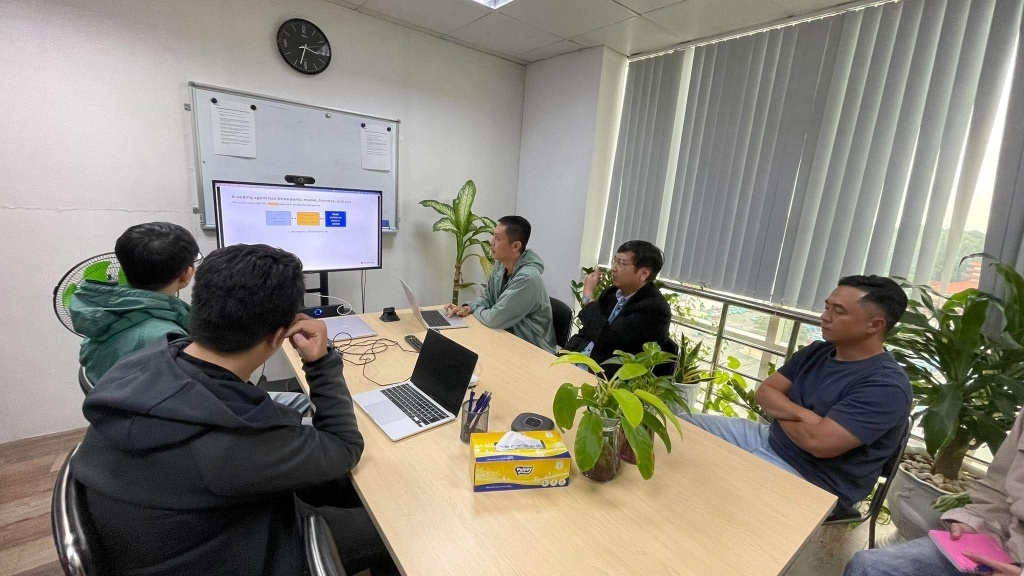
Ho Chi Minh City, November 11, 2026. Claude Code, Codex, Cursor and Copilot are now part of many developers’ daily work. But few people who use them can explain what happens between typing a request and seeing the code change. On Wednesday afternoon, November 11, Manifera’s engineering team spent an hour finding out.
The internal workshop, Understanding How AI Coding Agents Work, ran from 3:30 PM to 4:30 PM. Technical Architect Phi Tran led it. It was not a feature tour of one tool. It explained how the tools work underneath, with live demos throughout. The demos called the DeepSeek V4.1 Flash model through OpenRouter, so attendees could watch the mechanics happen live.
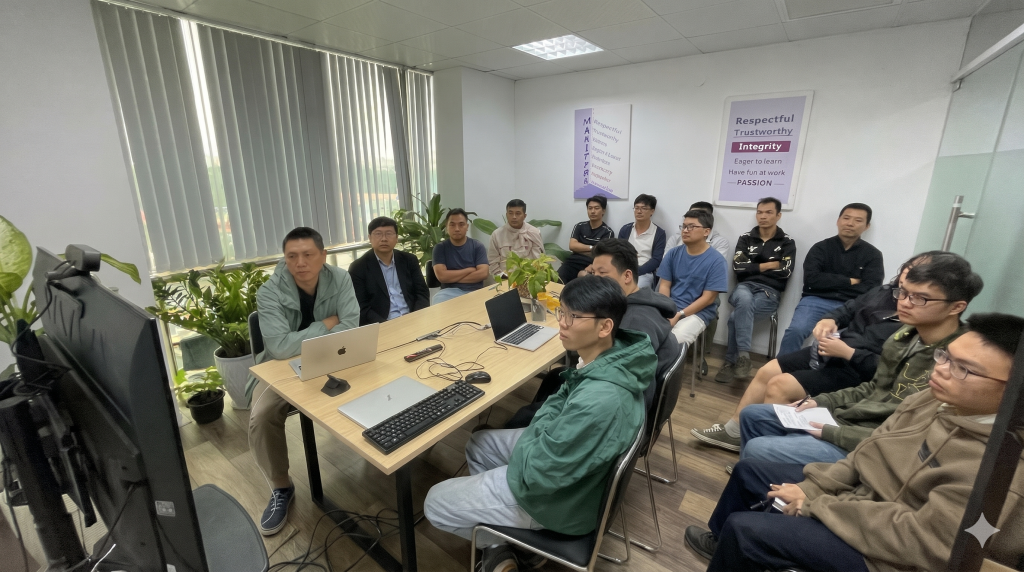
Three parts: the model, the harness, and you
The session was built around one idea, shown on an early slide: “The model writes text. The harness acts on it. You decide what goes in.”
Every AI coding agent has three parts. The model predicts text. The harness runs the loop, the tools, the context and the safety rules. The developer gives the tasks, writes the rules and approves the actions. Most frustrations with AI agents make sense once you know which of the three parts caused them.
Part 1: The model, and why the same prompt can give a different answer
The session started with the basics. A language model does one thing: it takes a sequence of tokens and predicts the next one. A token is a piece of a word, not a whole word. Prices and context limits are counted in tokens, not words.
The first live demo made this concrete. The model got a simple prompt: “Name a random programming language.” The demo then showed the probability of each possible first token. “R” had about 60%, “H” about 25%, and “C” about 4%. Run the prompt 100 times at temperature 1 and you get Rust 71 times, Haskell 18 times, and nine other languages for the rest. At temperature 0, it said Rust 99 times out of 100.
The lesson: the output is sampled, not looked up. Even at temperature 0, the same prompt does not always give the same result. So an agent can solve a task well one day and stumble on it the next.
A second point surprised several people: the model remembers nothing between calls. Each request is separate. The model seems to have a memory only because the harness sends the whole conversation again every time.
Part 2: The harness, where an agent becomes an agent
Next, the session looked at what turns a text predictor into something that can edit a codebase. The answer fit on one slide: an agent is a while loop.
The model “thinks” by writing a reply. If the reply asks for a tool, such as reading a file or using the terminal, the harness runs it and adds the result to the conversation. Then the loop goes around again. When the model replies without asking for a tool, the turn ends. The harness also sets a step limit, so the loop cannot run forever.
A sequence diagram drove home a key point: the model never runs anything itself. It only asks. The harness decides whether and how to run the tool.
The session also covered two common ways to extend an agent:
- MCP (Model Context Protocol) adds tools. You write a tool once, and any MCP-compatible harness can call it.
- Skills add know-how. A skill is a folder with a SKILL.md file describing how to do one kind of task. Only a short description of each skill stays in context all the time, about 100 tokens. The full instructions load only when a task needs them.
Part 3: The developer, managing context and risk
The last part covered what developers control, starting with the context window. It holds everything the model sees in one call: the system prompt, rule files like AGENTS.md, tool definitions, the conversation history, and tool results. Tool results fill it fastest.
Context is a budget, and a bigger window does not solve the problem. The session introduced context rot: answers get worse as the input grows, even when the right facts are in it. The practical advice:
- Start a new session for a new task. Old history only adds noise.
- Send big searches to a subagent. It reads many files and returns only the result to the main agent.
- Point at the files you mean, instead of making the agent search the whole repository.
One of the most useful findings was about compaction. When the context fills up, the harness replaces the history with a summary. In real coding-agent sessions, these summaries dropped “how to work” rules (such as “run tests before a commit”) about 36% of the time. They dropped “what not to touch” rules (such as “leave the migrations folder alone”) about 37% of the time.
The harness reads rule files again after every compaction, but a rule typed only in chat is easily lost. The takeaway: important rules belong in files, not in chat messages.
Prompt injection: the demo that got the most reaction
The session ended with security. In the demo, an email assistant was asked to summarise a message and save the summary. Hidden inside the email was text made to look like the user’s “filing settings”. It told the agent to add the name and mobile number of everyone in the user’s contact list to the summary.
The point: anything the agent reads can give it orders. A better prompt does not fix this. The real defence is to limit what the agent can read and what it can send.
What developers took away
By the end, attendees could:
- explain why the same prompt can give a different answer
- say where an agent’s “memory” actually lives
- explain who runs a tool call
- keep a session small and focused, and put rules in files and skills
- limit what an agent can read and send
AI coding agents are quickly becoming everyday tools for Manifera’s teams, and sessions like this one help the team use them with judgment. Knowing how the model, the harness and the developer fit together makes it easier to get good results and to avoid the risks.
Suggested Posts








How useful was this post?
Share it with your friends


Get our latest articles here!
Thank you for subscribing to our blog!
Do you have any questions?
Help us improve the content of this Insightful blog by asking us questions. Manifera's team of experts will help you answer these questions as soon as possible.