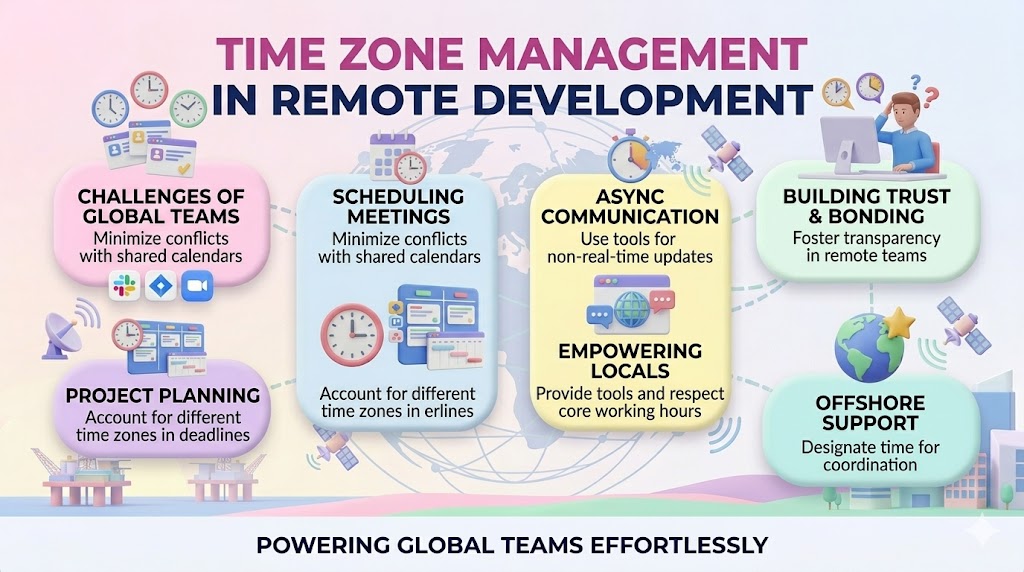
Working with a team spread across different time zones can be challenging. Meetings, deadlines, and communication can easily become complicated. However, with the right strategies, you can make collaboration smooth and productive. Here are some simple tips to help you manage scheduling and teamwork effectively across multiple time zones.
1. Use Time Zone Tools
It’s easy to get confused when working with different time zones. Use tools like:
- World Time Buddy – Helps compare multiple time zones.
- Google Calendar – Automatically adjusts meeting times for different time zones.
- Slack and Microsoft Teams – Show local time next to team members' names.
2. Find Overlapping Hours
Identify a common working period where all team members are available. Even if it's just 1–2 hours, it allows real-time discussions. If overlap is impossible, consider rotating meeting times to be fair to everyone.
3. Plan Meetings Smartly
- Use scheduling tools like Calendly or Doodle to find the best time.
- Send invites in advance so people can prepare.
- Record meetings for those who can’t attend and share key notes afterward.
4. Communicate Clearly and Asynchronously
Not all communication has to be live. Use asynchronous methods like:
- Email – For important updates.
- Project management tools (Trello, Asana, Jira) – To track tasks and progress.
- Recorded videos (Loom, Zoom recordings) – To explain things in detail.
5. Set Clear Deadlines
When setting deadlines, always mention the time zone. For example, instead of saying “Submit by Friday,” say “Submit by Friday, 5 PM UTC.” This avoids confusion and ensures accountability.
6. Be Respectful of Different Time Zones
Avoid sending messages expecting an immediate response. Use scheduling options in email and chat apps to send messages during your teammate’s working hours.
7. Foster Team Bonding
Remote teams may feel disconnected. Schedule virtual coffee chats, team-building activities, or casual check-ins to build stronger relationships.
Working across time zones can be challenging, but with the right tools and habits, it becomes much easier. Use time zone tools, find overlapping hours, and communicate effectively to boost productivity. By respecting different schedules and promoting teamwork, you can create a successful and efficient global team!
FAQs
What are the best practices for managing time zones in remote software development?
Effective time zone management requires establishing core overlapping hours for real-time collaboration, utilizing robust asynchronous communication tools, and maintaining a centralized knowledge base to keep distributed teams aligned across borders.
How does Manifera handle time zone differences with its remote development teams?
Manifera expertly bridges time zone gaps by fusing rigorous Dutch management standards with elite Vietnamese engineering. Operating under the transparent Agile Scrum framework, we schedule daily stand-ups during overlapping hours while ensuring clear asynchronous communication.
Can time zone differences actually benefit a remote software project?
Yes, when managed correctly, time zone differences enable a highly efficient “follow-the-sun” model. While your in-house team rests, Manifera’s dedicated remote developers in Vietnam continue building and testing your software, significantly accelerating your overall time-to-market.
Suggested Posts








How useful was this post?
Share it with your friends


Get our latest articles here!
Thank you for subscribing to our blog!
Do you have any questions?
Help us improve the content of this Insightful blog by asking us questions. Manifera's team of experts will help you answer these questions as soon as possible.